 itch
itch Play your itch.io games on Ubuntu.
Windows builds included.
itch Linux Game Runner is a free, open source desktop app for Linux: it signs in to your itch.io account, downloads the games you own and runs the Windows-only ones through Proton. No Steam, no manual Wine setup.
What it does
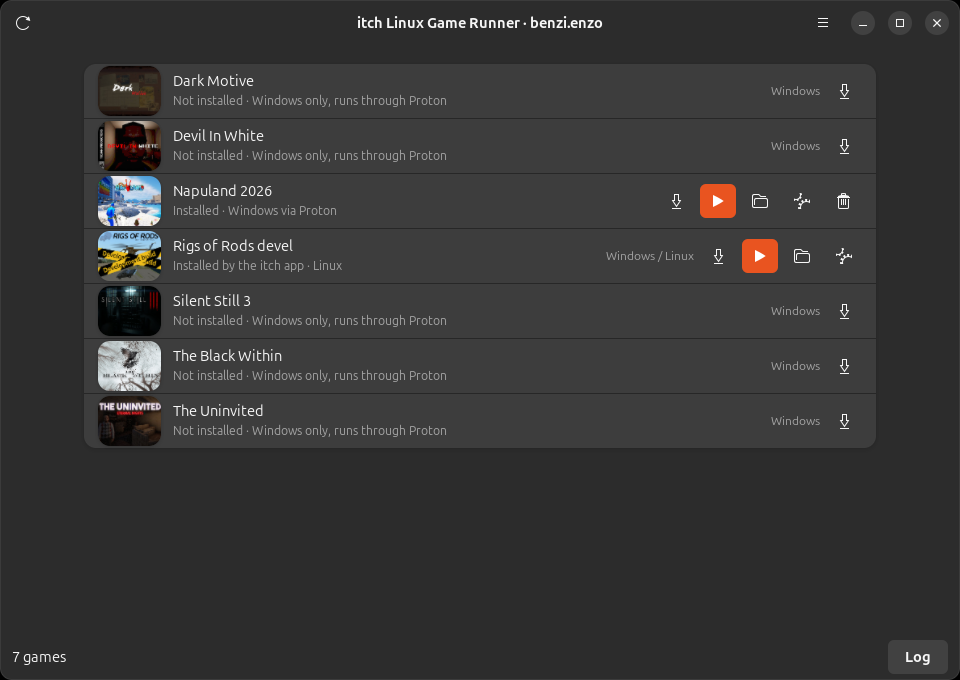
Your whole library
Sign in with itch.io, an API key or the login of the official itch app. Purchases and the games the itch app already installed show up in one list, with their platforms.
One-click install
Pick a build when a game has several, Linux first when available. Downloads resume if interrupted; zip, tar and 7z archives are unpacked and the right executable is picked automatically.
Proton without Steam
The latest GE-Proton is downloaded on the first launch and started directly, the way Steam would. Every game gets its own prefix, so saves and settings never mix.
Videos that play
Ubuntu 24.04 lacks a library Proton's video decoder needs. The app fetches it once from the Ubuntu archive, so Unreal Engine intros and cutscenes play instead of crashing the game.
Native Linux builds too
Linux builds run directly, from the same list with the same Play button, including the ones installed by the itch app.
Nothing hidden
A live log of the game's output, a button to open the game folder, a picker to change the executable, and removal that keeps the prefix with your saves.
Screenshots

Installation
Ubuntu 24.04 or later with a desktop session. Everything the app needs is already part of a standard Ubuntu desktop; the first command only makes sure of it.
sudo apt install git python3-gi gir1.2-gtk-4.0 gir1.2-adw-1 p7zip-full
git clone https://github.com/KinG-InFeT/itch-linux-game-runner.git
cd itch-linux-game-runner
./itch-runner
./install.sh adds the app to the application menu. No Python packages are installed: the app
runs on the system python3 and PyGObject. The first launch of a Windows game downloads GE-Proton
(about 560 MB, checksum verified).
To update, run git pull in the project folder.
How it works
- Sign in. The token is stored in
~/.config/itch-linux-game-runner/config.json, readable by your user only. - Library. Purchases come from the itch.io API; the games installed by the itch app are read from its database, read-only.
- Install. The archive is downloaded with resume support and unpacked into
~/.local/share/itch-linux-game-runner/games/. The best executable is chosen (shallowest, named like the game, never an installer or crash handler) and can be changed later. - Play. Linux builds run natively. Windows builds run with GE-Proton in a prefix of their
own under
~/.local/share/itch-linux-game-runner/prefixes/.
Why Proton runs directly instead of through the Steam Linux Runtime
Steam runs Proton inside a container that needs unprivileged user namespaces. On Ubuntu 24.04 and later,
AppArmor denies them to anything that is not Steam itself, so wrappers such as umu-launcher fail with
bwrap: setting up uid map: Permission denied. The app therefore starts Proton the way Steam
would (proton waitforexitandrun), with the same environment variables, but on the host and
without root.
The video decoder fix
Running on the host, Proton uses the host's libraries. GE-Proton's bundled FFmpeg needs libva 2.21 or later, while Ubuntu 24.04 ships 2.20: Media Foundation video decoding fails, and Unreal Engine games that play videos crash on the first one. The app downloads libva 2.22 from the Ubuntu archive once, keeps it in its own folder and exposes it to Proton only.
Where the data lives
~/.config/itch-linux-game-runner/config.json      token and preferences
~/.local/share/itch-linux-game-runner/games/      installed games
~/.local/share/itch-linux-game-runner/prefixes/   one Proton prefix per game
~/.local/share/itch-linux-game-runner/proton/     GE-Proton builds
~/.local/share/itch-linux-game-runner/logs/       output of each game
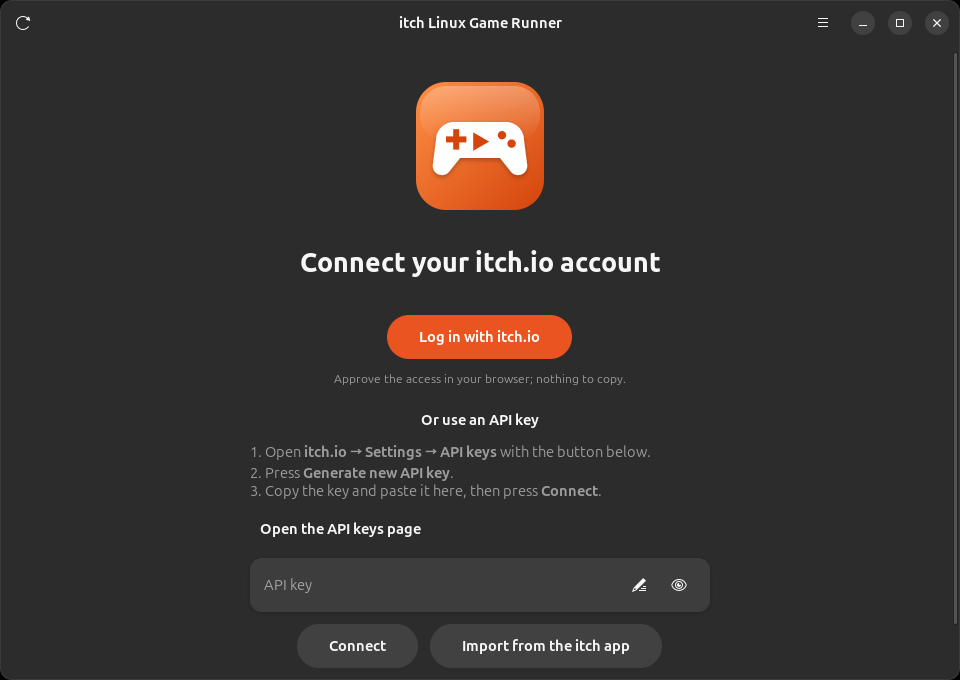
Signing in
Log in with itch.io
OAuth 2.0 in the browser: approve the access and the app receives the token, nothing to copy. The token covers your profile, your purchases and downloads, and never expires.
API key
The page opens itch.io → Settings → API keys for you: generate a key, paste it, press Connect.
Import from the itch app
If the official itch app is installed and logged in on the same computer, its login is reused in one click.
The browser login works out of the box through the project's own
itch.io OAuth application (a public client using PKCE, no secret involved). Forks can register their own at
itch.io → Settings → OAuth applications with the redirect URI http://127.0.0.1:34567/callback
and set its Client ID in Preferences → Account.
FAQ
Do I need Steam installed?
No. The app downloads GE-Proton itself and never talks to Steam.
An Unreal Engine game warns about "Known issues with graphics driver"
Proton reports a dummy driver version and the engine complains. Press OK, or silence it per game with a
Saved/Config/Windows/Engine.ini next to the game's Binaries folder:
[SystemSettings]
r.WarnOfBadDrivers=0
A game shows white or black videos, or crashes when a video starts
That is the Media Foundation decoder failing. The app applies the libva fix automatically on Ubuntu 24.04;
if it still happens, open the Log and look for lines mentioning winedmo.
Does removing a game delete my saves?
No. Removing deletes the game files; the Proton prefix, where saves and settings live, is kept.
What about 32-bit games and installers?
32-bit Windows games need the host's 32-bit graphics libraries, because Proton runs outside the runtime
container. Uploads that are bare installers (Setup.exe) are copied as they are: running them
installs into the prefix, and the installed executable then has to be chosen by hand.
Other distributions?
Tested on Ubuntu 24.04. Any distribution with GTK 4 and libadwaita can run the app; the libva fix uses Ubuntu packages and only kicks in when the host's libva is too old.